

Required
- 1 Local area network
- 2 hosts one running Kali Linux (attacker) and one running Ubuntu 22.04(Snort IDS)
- TCP/IP communication between hosts needs to be established before-hand
- Clock and Date settings must be configured correctly
TCP/IP addressing table
| Subnet name | IPv4 range |
|---|---|
| Virtual Network 2 (Vmnet2) | 192.168.200.0/24 |
| Node | IPv4 Address |
|---|---|
| Kali Linux , the attacker | eth0 LAN 192.168.200.145/24 |
| UbuntuServer, Snort IDS | ens33 LAN 192.168.200.148/24 |
Snort installation and analysis
- From UbuntuServer open a Terminal window
- Type sudo su –
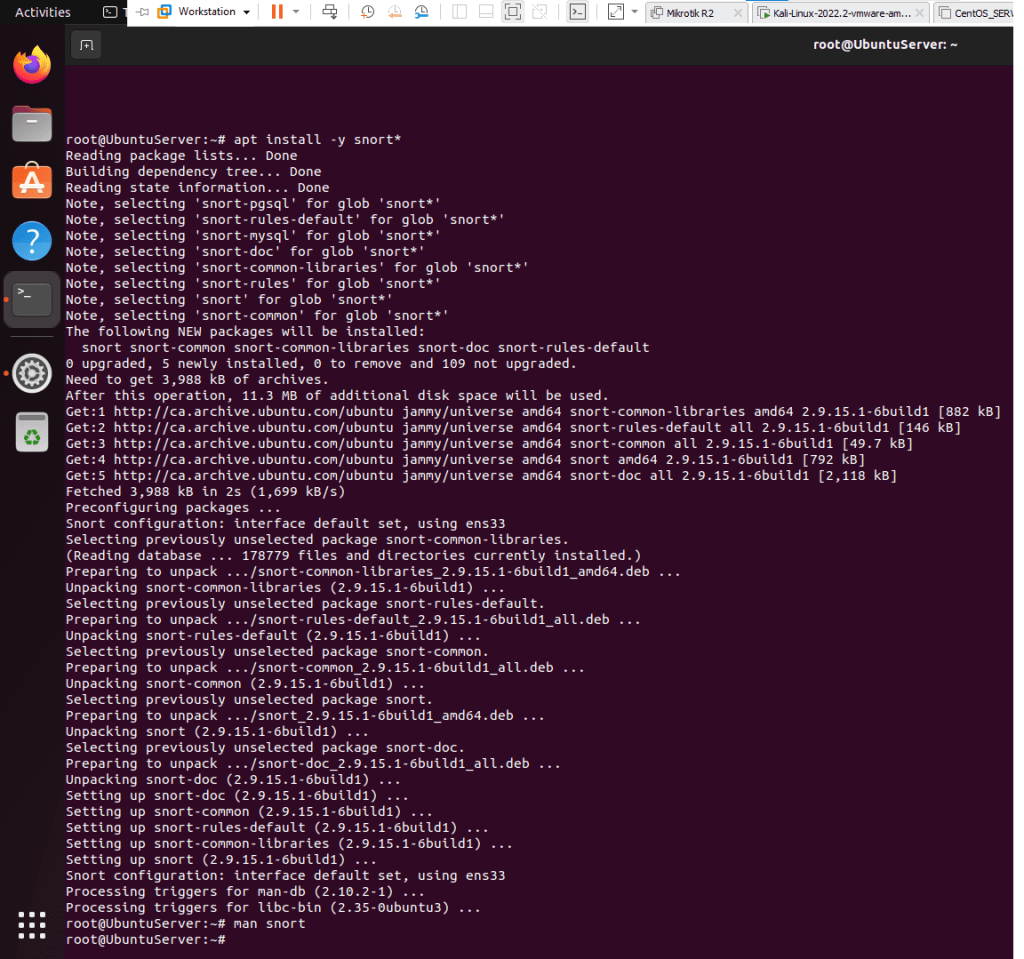
- Type apt install -y snort*
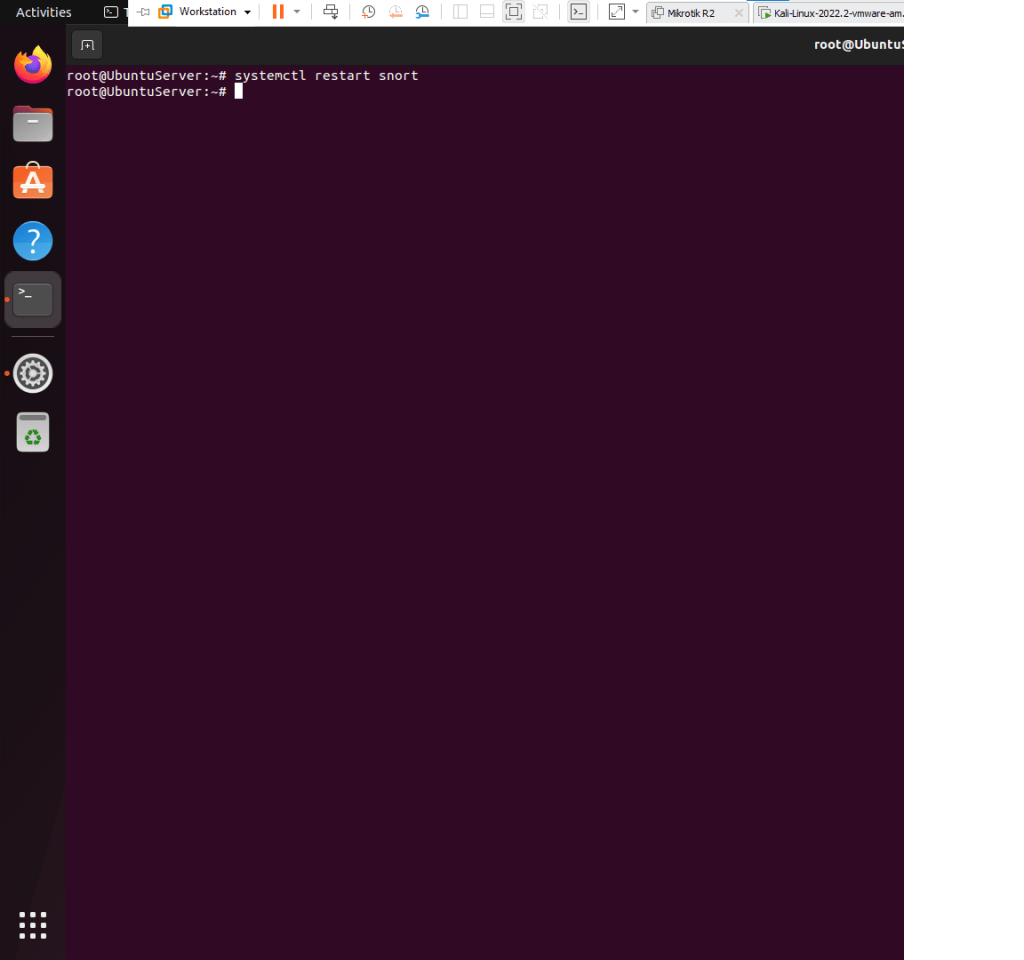
- Type systemctl restart snort , no error should happen
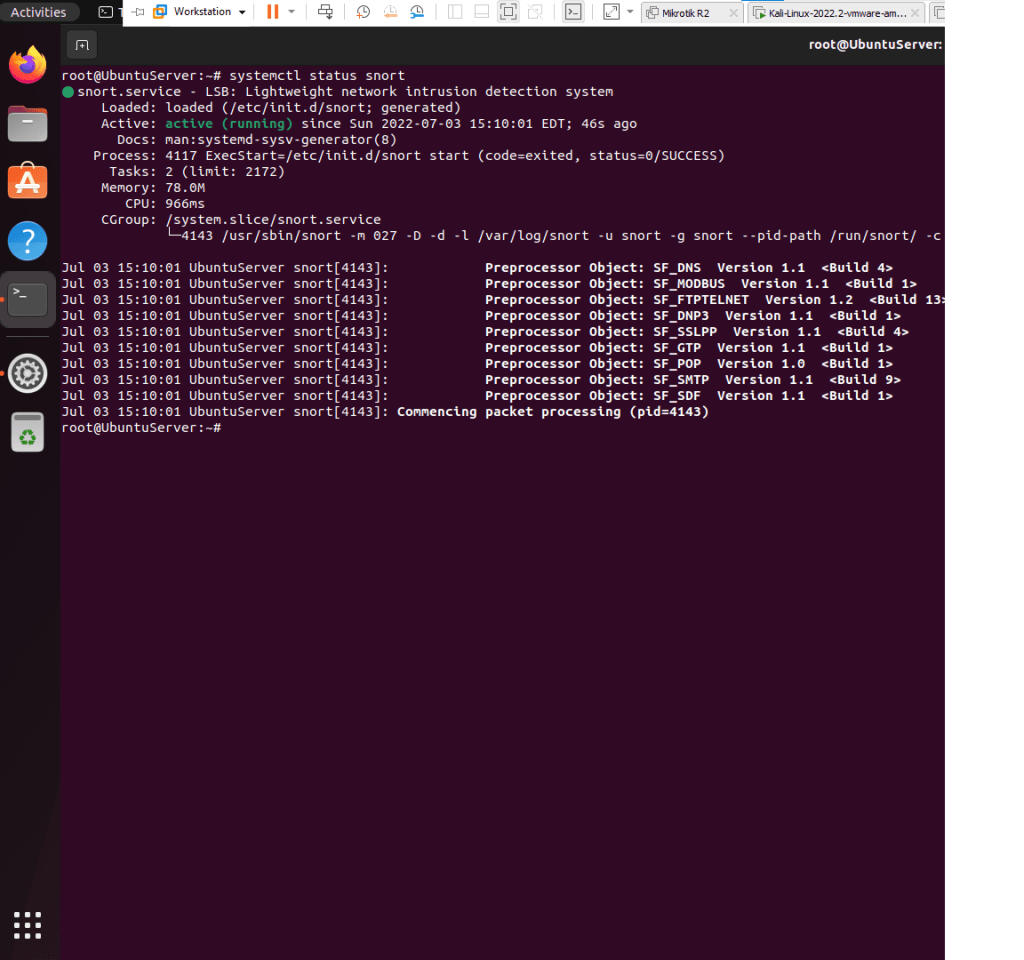
- Type systemctl status snort, must be active
- Type snort -D -A -i ens33 -c /etc/snort/snort.conf
- Here are the following options explained
- -D , runs the IDS in daemon, it frees the terminal , you can close it without interrupting your analysis
- -A snort runs in alert mode
- -i sniff packets on this interface
- -c config file location
XMAS attack analysis
- From Kali open a Terminal window
- Type sudo su –
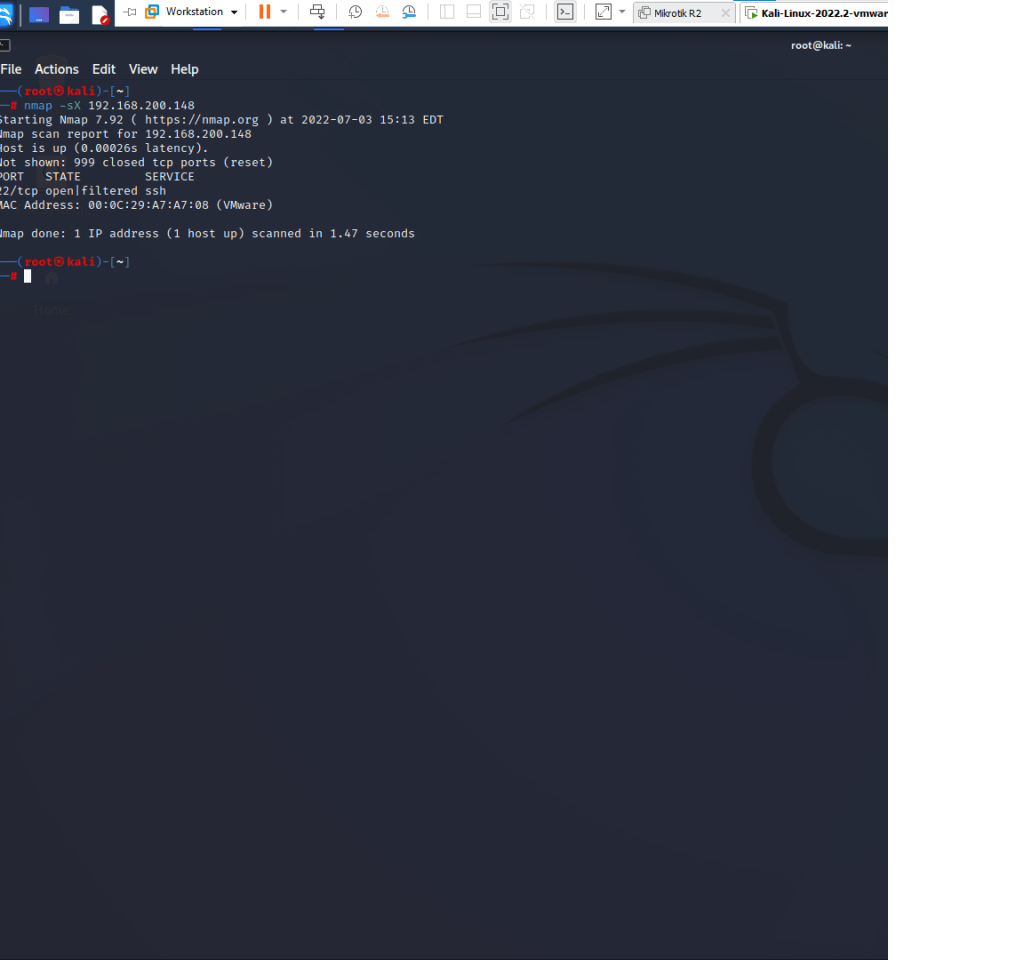
- Type nmap -sX 192.168.200.148
- -sX is a XMAS scan technique
- From UbuntuServer, open a Terminal
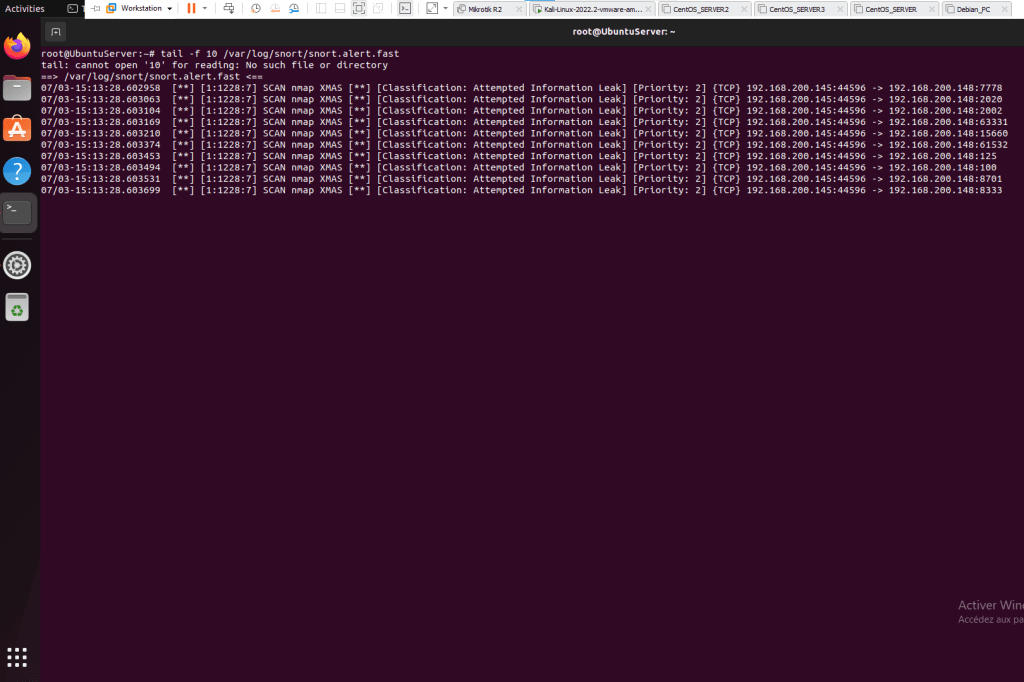
- Type tail -f 10 /var/log/snort/snort.alert.fast
- You can clearly see the discovery of the XMAS attack on the Snort Intrusion Detection System

 Alpha M.