

Required
- 2 virtual networks
- 2 virtual machines in each subnets
TCP/IP addressing table
| BLUEVNET subnet range | 172.16.100.0/24 |
| REDVNET subnet range | 192.168.100.0/24 |
| BLUEVNET-SERVER | 172.16.100.4/24 |
| REDVNET-SERVER | 192.168.100.4/24 |
- Create the peering from the portal.azure.com
- From Virtual Network select BLUEVNET
- From the menu select Peering and click Add
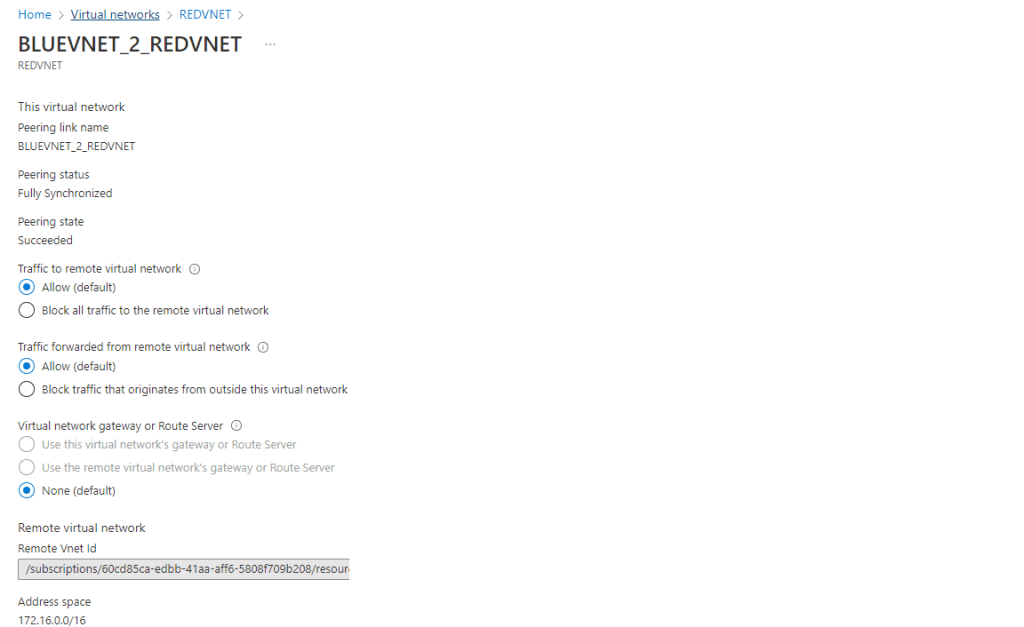
- Configure the connection
- Input Peer Link Name BLUEVNET_2_REDVNET on this virtual network
- Leave the defaults traffic rules
- Input Input Peer Link Name BLUEVNET_2_REDVNET on remote virtual network
- Select the remote virtual network REDVNET
- Leave the defaults traffic rules and click Add
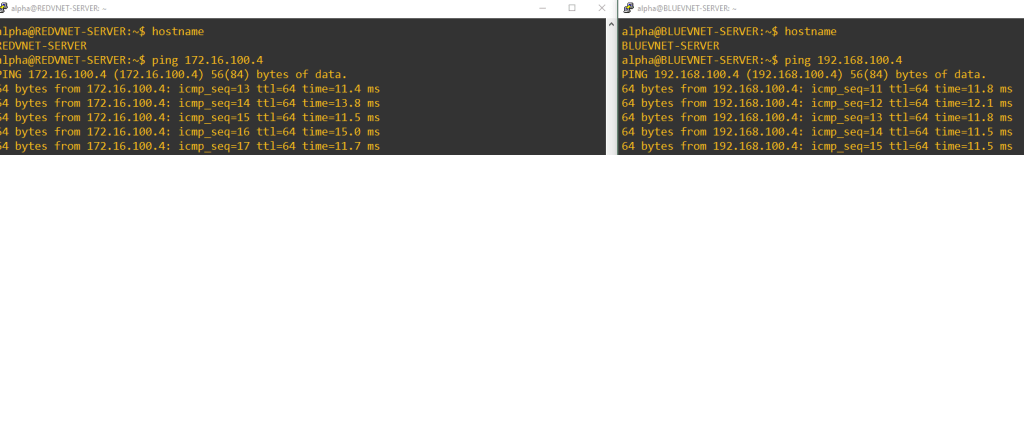
- Peering is configured
 Alpha M.